FIGHTHUB Member Guide
/
↑↓ to navigateEnter to jump
0 / 600 XP
Fight For Fitness Member Guide

Your FightHub Journey

One login, two branches, every class, payment and setting you'll ever need, explained the way a coach would, in six levels. Work through them once and you'll never be lost in the app again.

6 levels to master 2 branches: Bandar Rimbayu & Ara Damansara 20 screens covered 6 languages supported
1Level 1Getting Started 2Level 2Booking & Training 3Level 3Membership & Pay 4Level 4Shop 5Level 5Account 6Level 6Good to Know

New member? Tick these off and you're good to go. Each one links to the section that walks you through it.

  • Log in with your phone number + PIN
  • Read & accept the Rules & Regulations
  • Sign the Waiver & Consent form
  • Complete your Registration Profile
  • Book your first class
  • Add FightHub to your phone's home screen
0 / 6 done
1
Level 1 of 6 ~3 min read

Level 1: Getting Started

Everything here happens once, right when your membership begins. Get through these six steps and you're ready to book your first class.

01

Welcome to FightHub

FightHub is Fight For Fitness's member app, one place to book classes, track your training, manage your membership, and shop gear, for both the Bandar Rimbayu and Ara Damansara branches. It's built mobile-first, so everything in this guide works just as well on your phone as it does on a computer.
02

Getting Your Login

There's no public sign-up. Accounts are created for you at the front desk, so only paying members can book classes. When you join (or bring your kids along), staff set up your account with your phone number and a PIN, and assign you to your home branch.

One login can hold more than one person, perfect for families. More on that in the Level 2 section.
03

Logging In

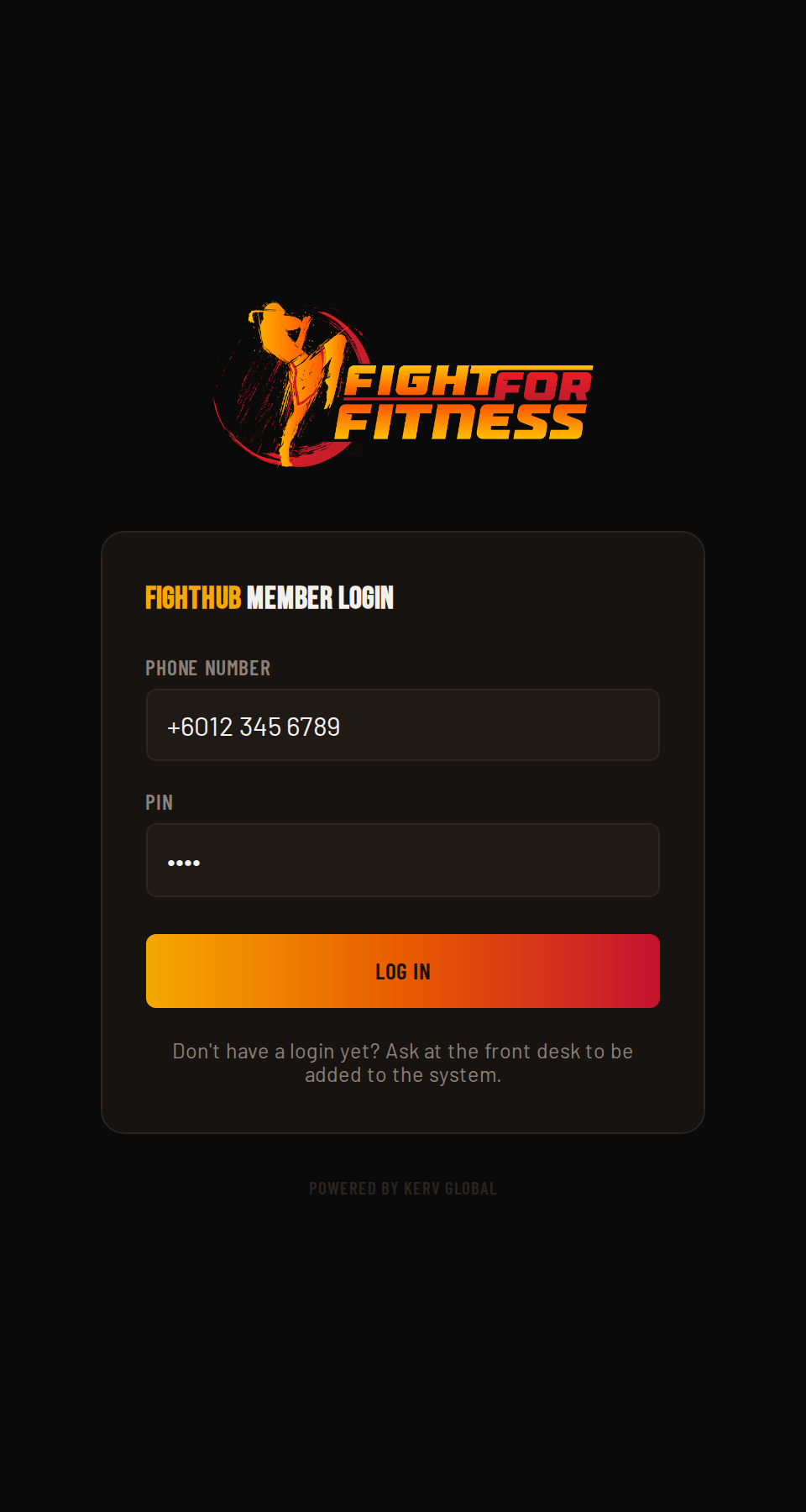
Head to the FightHub member login page and sign in with your phone number and PIN.

  1. Go to the member login page.
  2. Enter your phone number, including the +60 country code.
  3. Enter your PIN.
  4. Tap Log In.
For your security, you'll be logged out after 15 minutes of inactivity. Just log back in with the same phone and PIN.
FightHub member login screen
Screenshot coming soonscreenshots/01-login.png
04

Reading & Accepting the Rules & Regulations

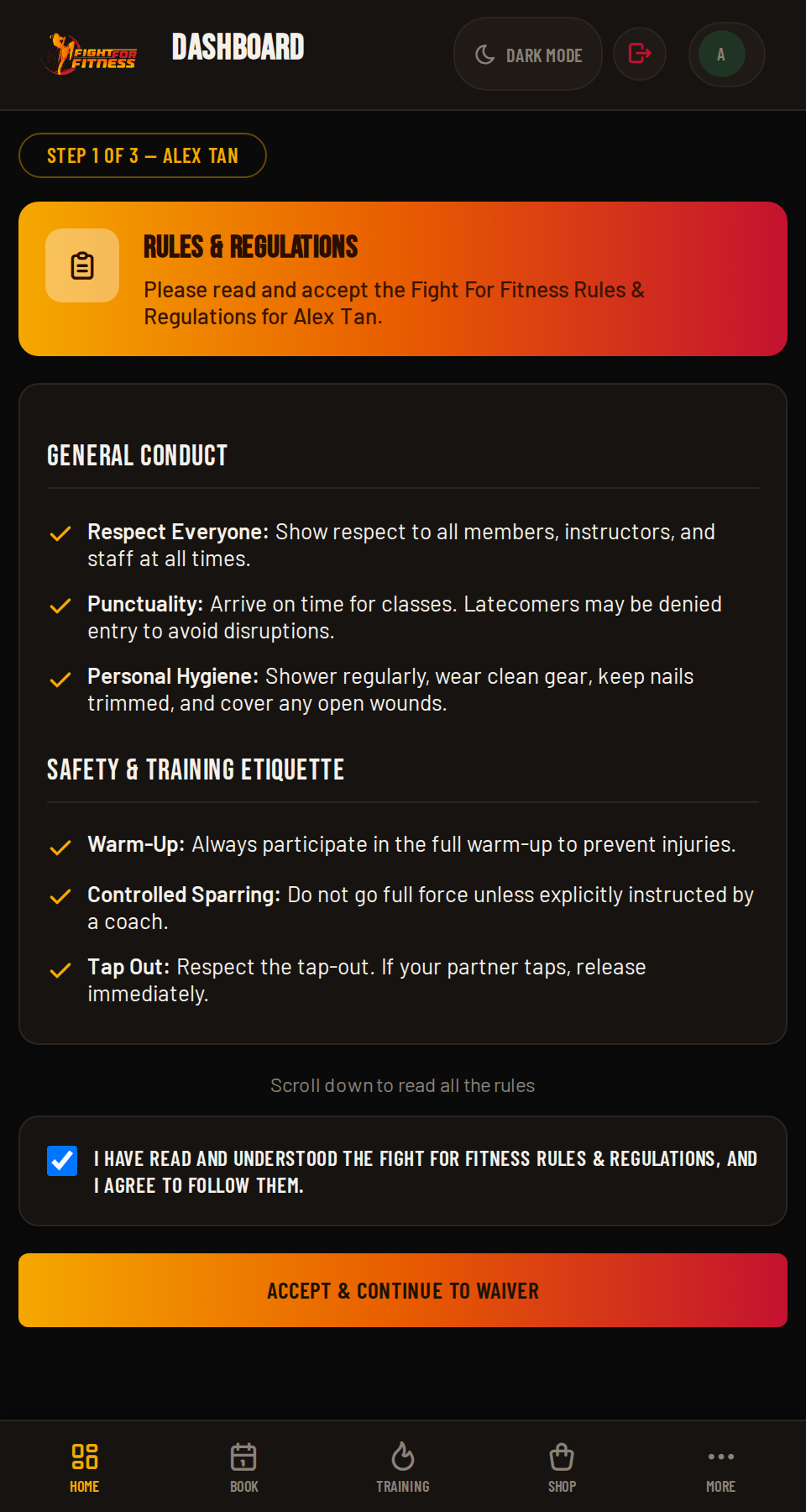
Before you can book anything, you'll be asked to read and accept FightHub's Rules & Regulations. Take a minute to actually read it. Here's what it covers:

General Conduct Safety & Etiquette Cleanliness Gym Attire Muay Thai Attire Class Cancellation Behavior & Discipline Class-Specific Rules Food & Drinks Policy Consequences
This only appears once per profile. You won't see it again unless the gym updates the rules.
FightHub Rules & Regulations acceptance screen
Screenshot coming soonscreenshots/02-rules.png
05

Signing the Waiver & Consent

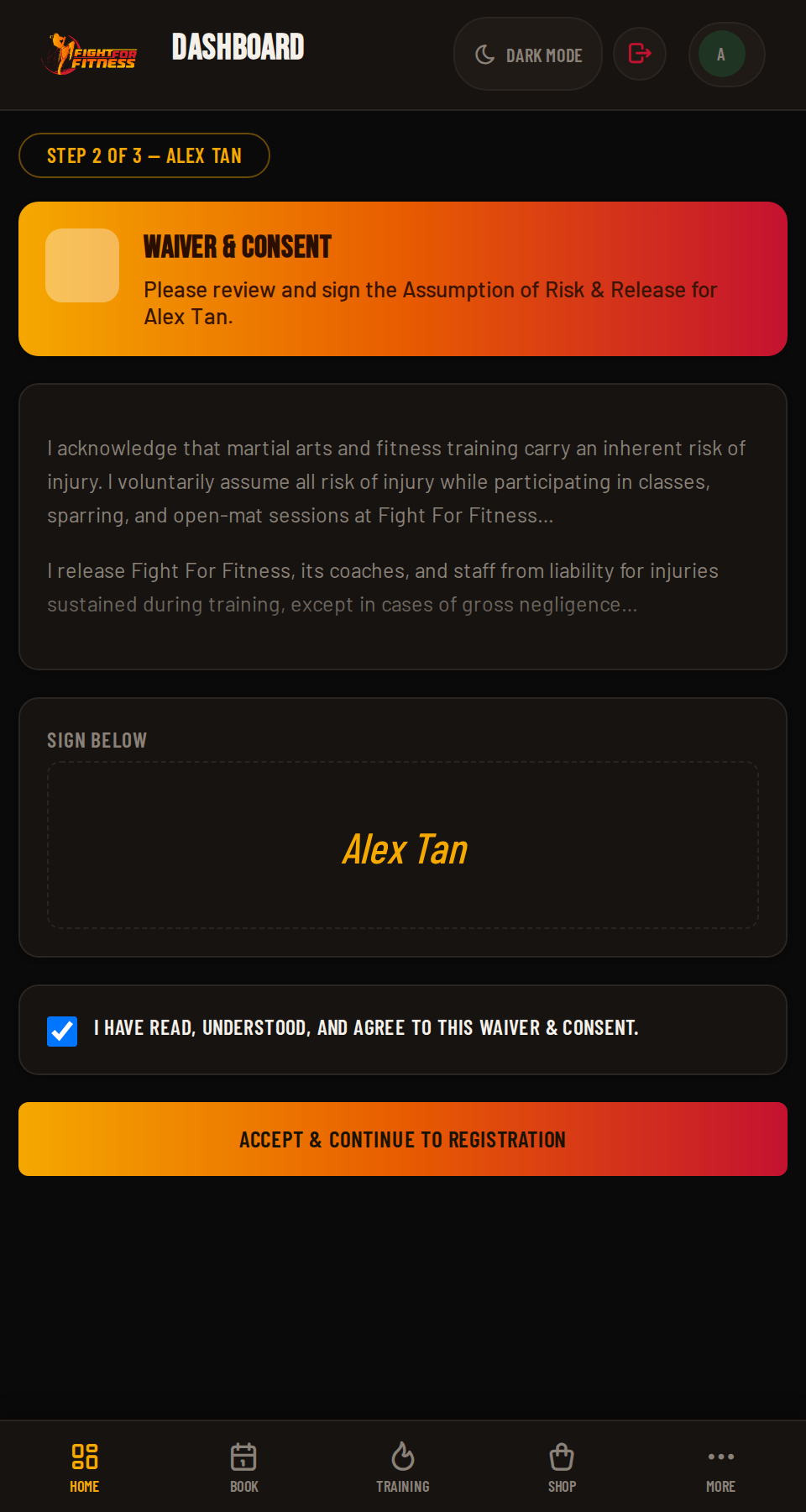
Right after the rules, you'll sign FightHub's Waiver & Consent form, covering:

Assumption of Risk Release of Liability Medical Treatment Consent Rules & Conduct Image & Likeness Release
Like the rules, this is a one-time step per profile, including each of your kids, if you're on a family account.
FightHub Waiver & Consent screen
Screenshot coming soonscreenshots/03-waiver.png
06

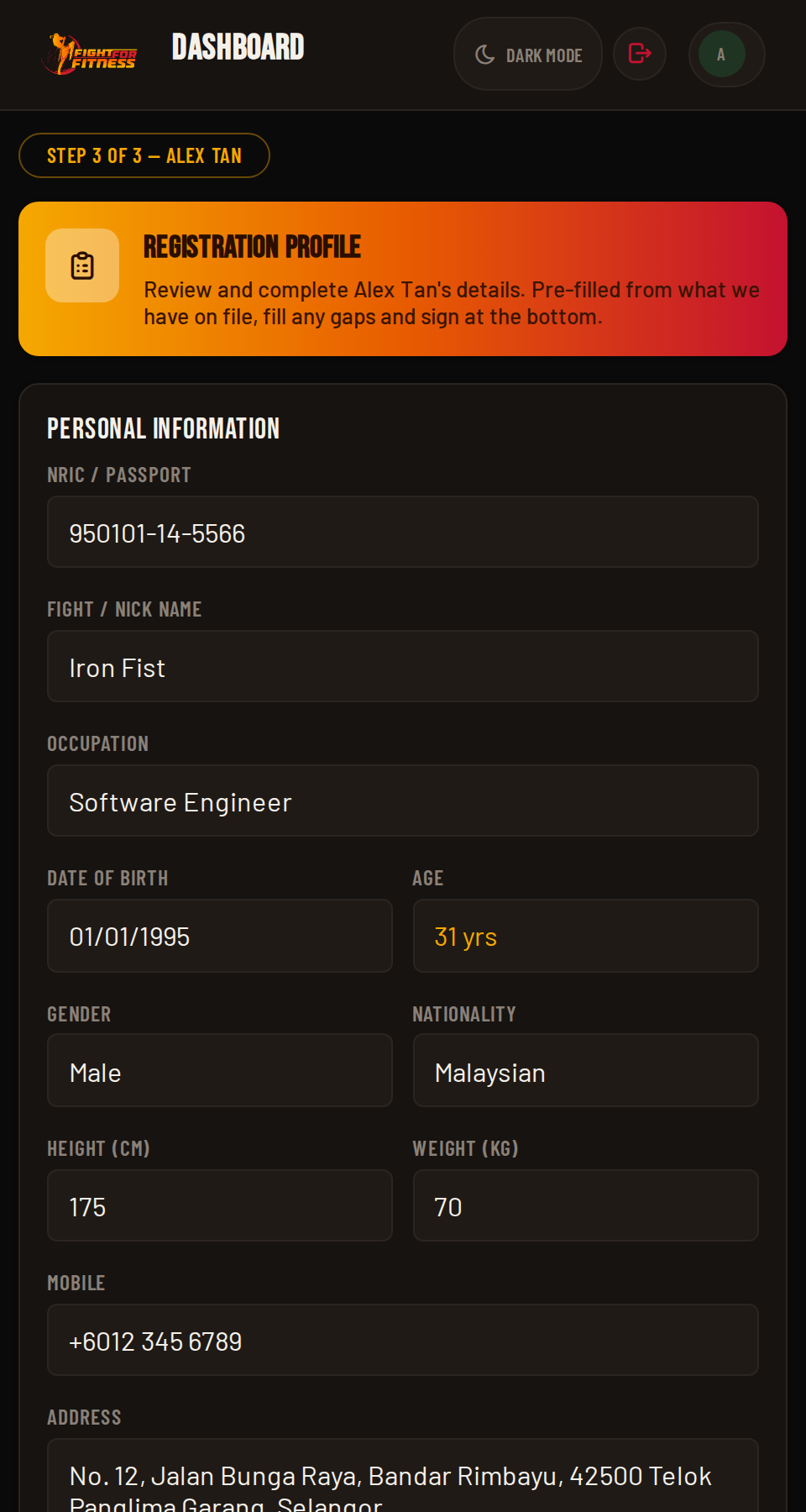
Completing Your Registration Profile

Last step: your Registration Profile, covering personal details, an emergency contact, and any health notes coaches should know about (injuries, conditions, allergies). This is required before you, or anyone on your account, can book a single class.

Every profile on a family account needs its own Registration Profile: one for you, one for each child.
FightHub Registration Profile form
Screenshot coming soonscreenshots/04-registration.png
Pro Tip

Add FightHub to your phone's home screen right after your first login. Open the site in Safari or Chrome, tap "Add to Home Screen" or "Install app", and it launches full-screen like a real app, no App Store needed.

2
Level 2 of 6 ~6 min read

Level 2: Booking & Training

This is what you'll use the most: checking your dashboard, finding a class, and getting yourself (or your kids) booked in.

01

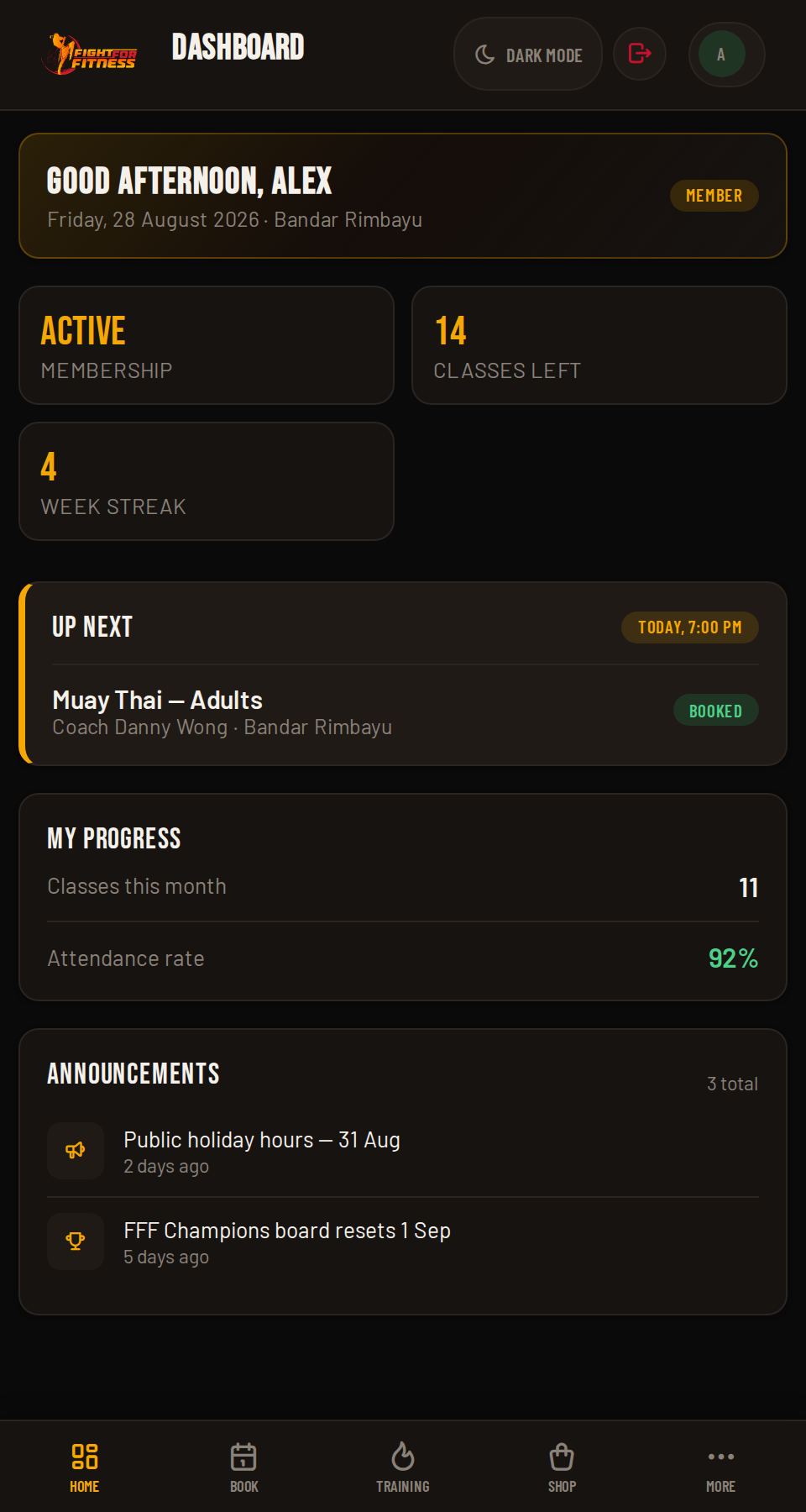
Your Dashboard at a Glance

Your Dashboard is home base. At a glance you'll see your next Upcoming Class, your My Progress stats, gym Announcements, and (where the gym has it switched on) the FFF Champions leaderboard. Show up. Level up.

FightHub member dashboard
Screenshot coming soonscreenshots/05-dashboard.png
02

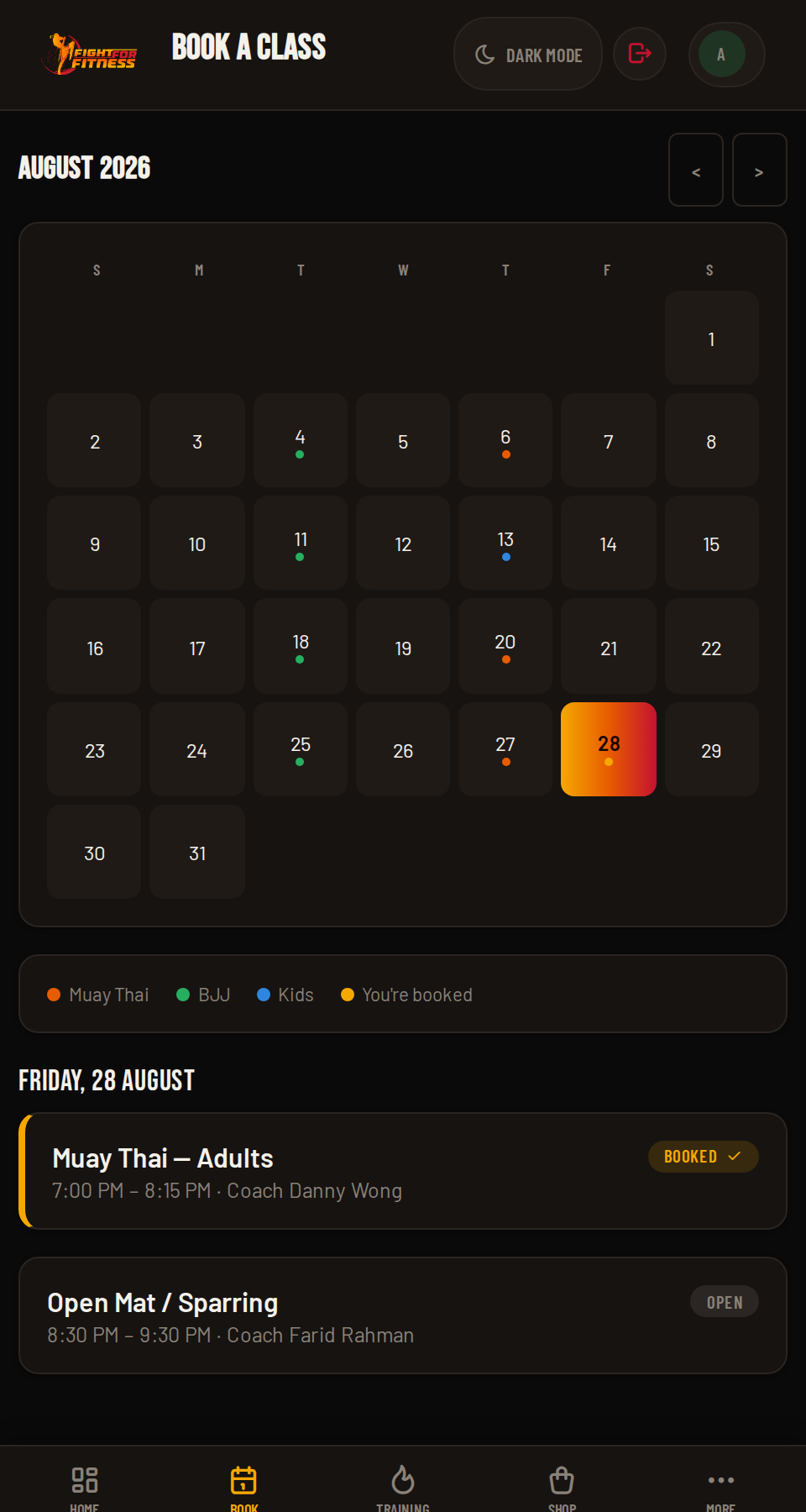
Reading the Calendar

Tap Book a Class to open the month calendar. Classes are colour-coded by category, and any class you're already booked into shows in gold with a checkmark. Tap any day to see that day's full class list.

You'll only ever see classes for your own branch, and only classes that match your Adults/Kids setting. Anything else simply won't appear.
FightHub month calendar view
Screenshot coming soonscreenshots/06-calendar.png
03

Booking a Class

  1. Tap a day on the calendar.
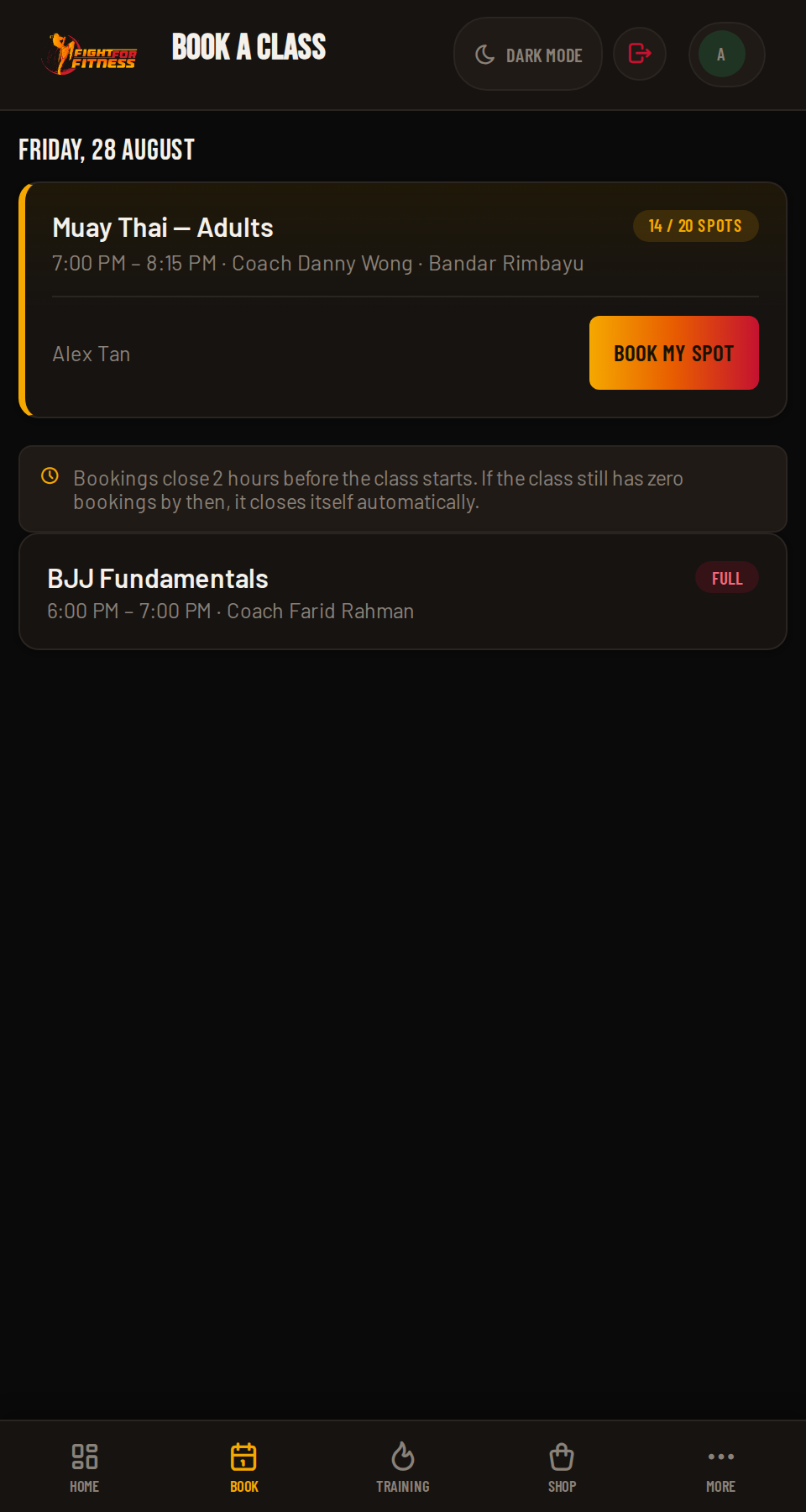
  2. Find the class you want in the list.
  3. Tap Book my spot.
Bookings close 2 hours before a class starts, so leave it too late and the Book button simply won't be there. That same 2-hour mark cuts both ways: if a class still has zero bookings by then, it closes itself automatically, no one forgot to open it. Book early to keep the classes you want on the schedule. Missed the cutoff but the class hasn't started yet? Look for a Request to attend option, add a quick reason, and a coach can still slot you in if there's room.
FightHub booking a class
Screenshot coming soonscreenshots/07-booking.png
04

Seeing Who Else Is Attending

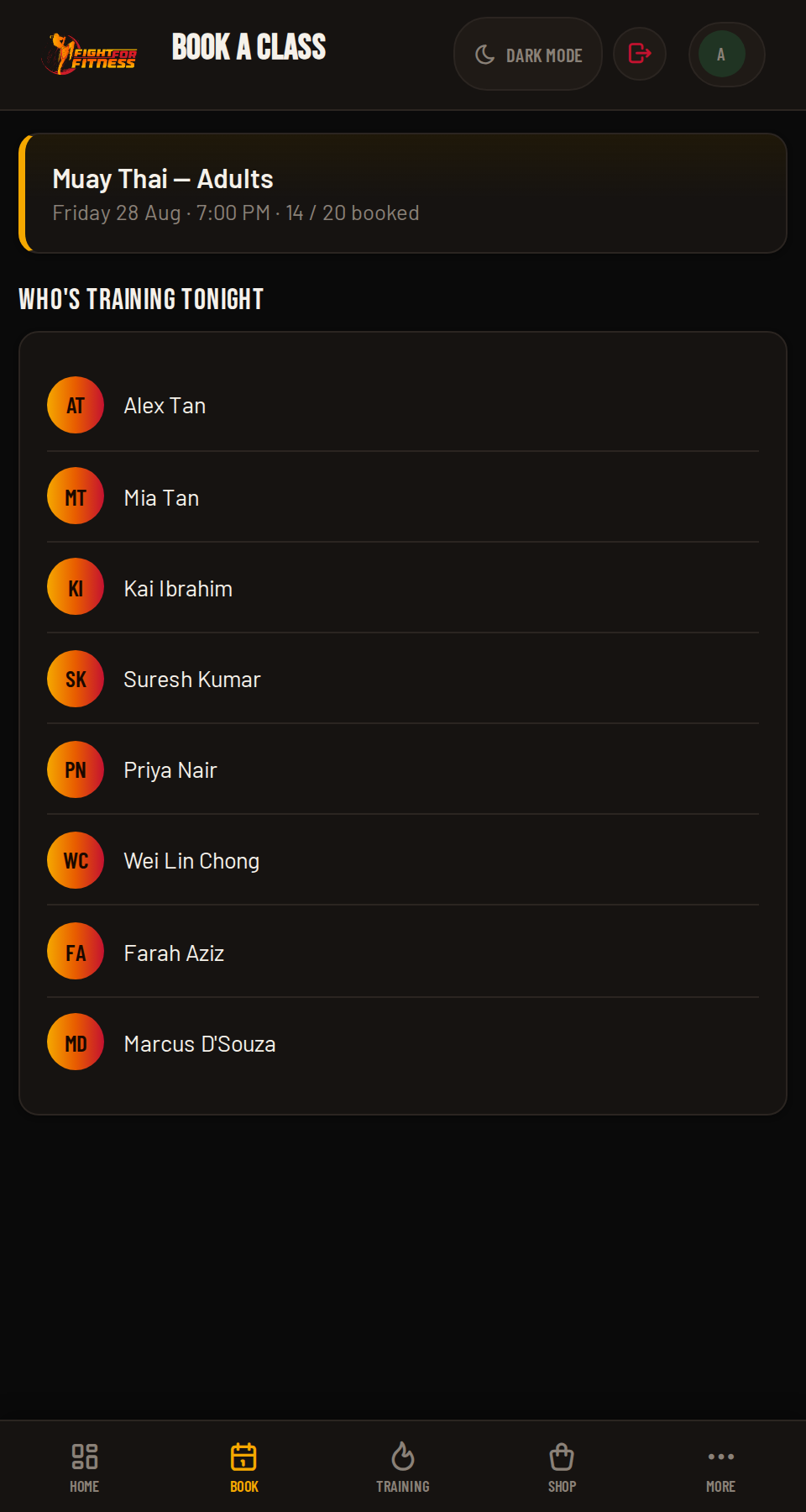
Curious who's training with you? Tap View list on any class to see everyone else who's already booked in.

FightHub class attendee list
Screenshot coming soonscreenshots/08-viewlist.png
05

Cancelling a Booking

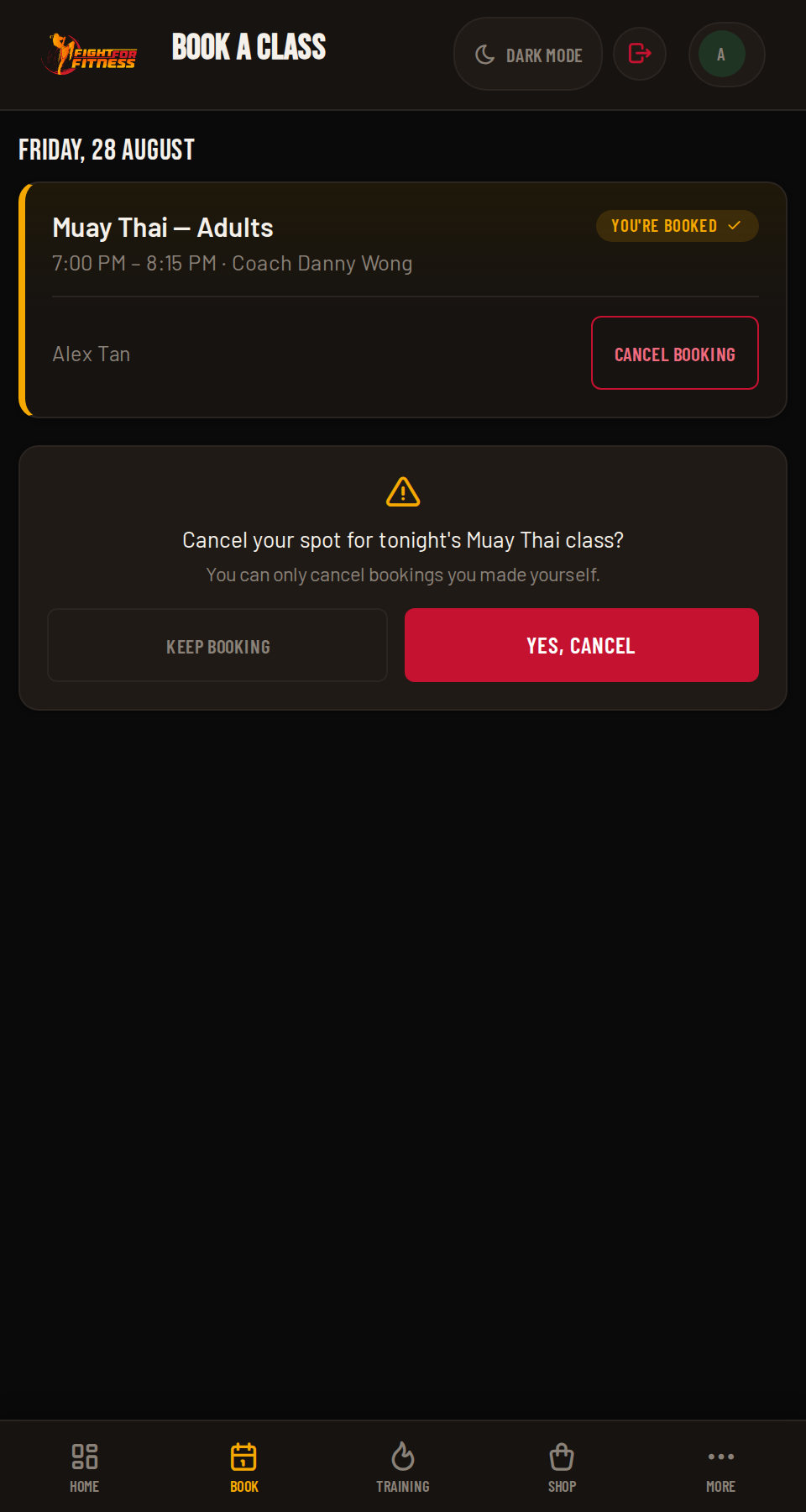
Can't make it? Open the class from your calendar and tap Cancel. You can only cancel bookings you made yourself.

FightHub cancel a booking
Screenshot coming soonscreenshots/09-cancel.png
06

Booking For Your Family

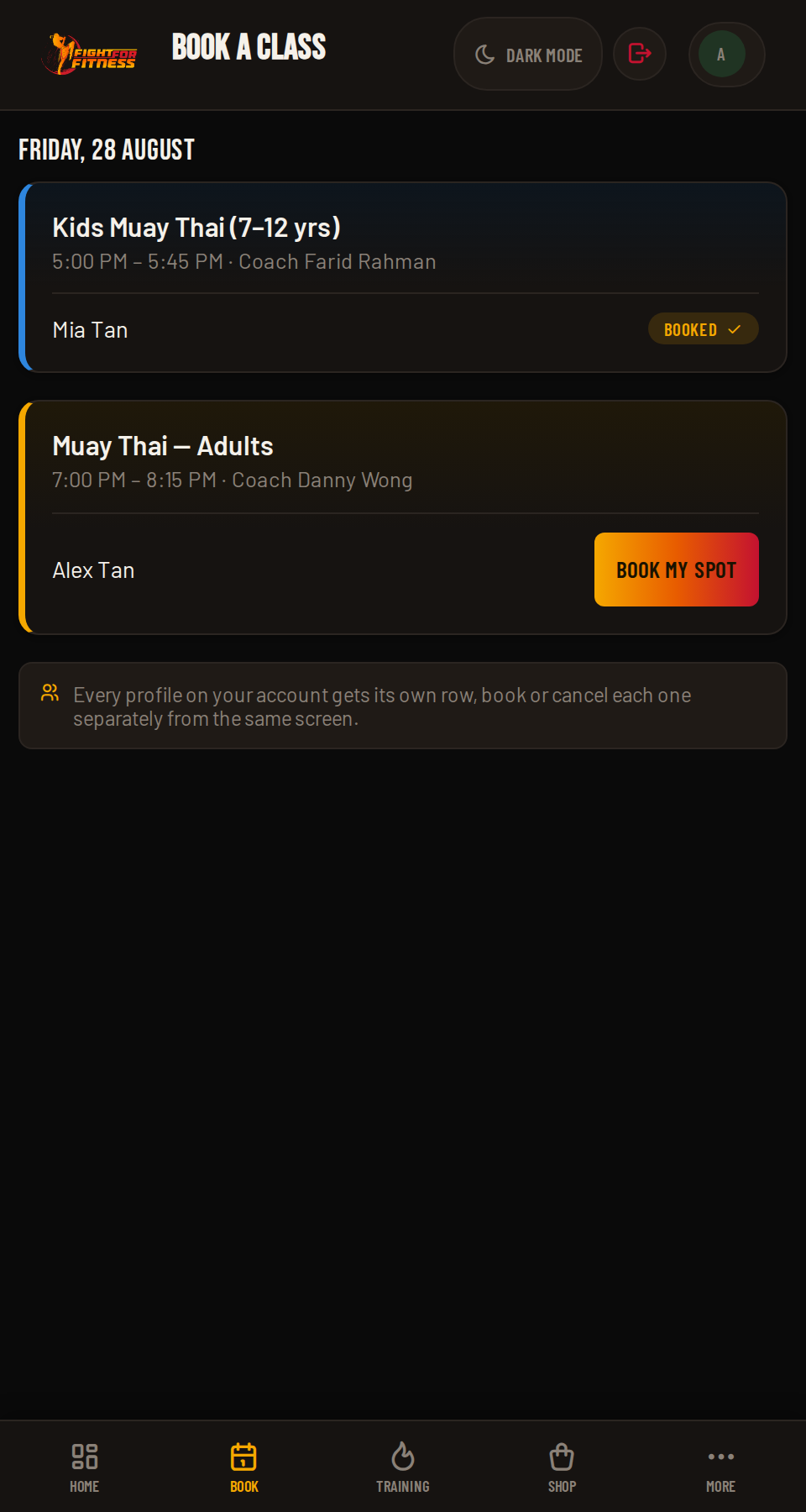
If your account has more than one profile (say, two kids), each class shows a separate Book/Cancel row per profile. Put one child in the 5pm Kids class and the other in the 7pm class, from the same screen, in one visit.

FightHub family booking, one row per profile
Screenshot coming soonscreenshots/10-family-booking.png
07

My Training

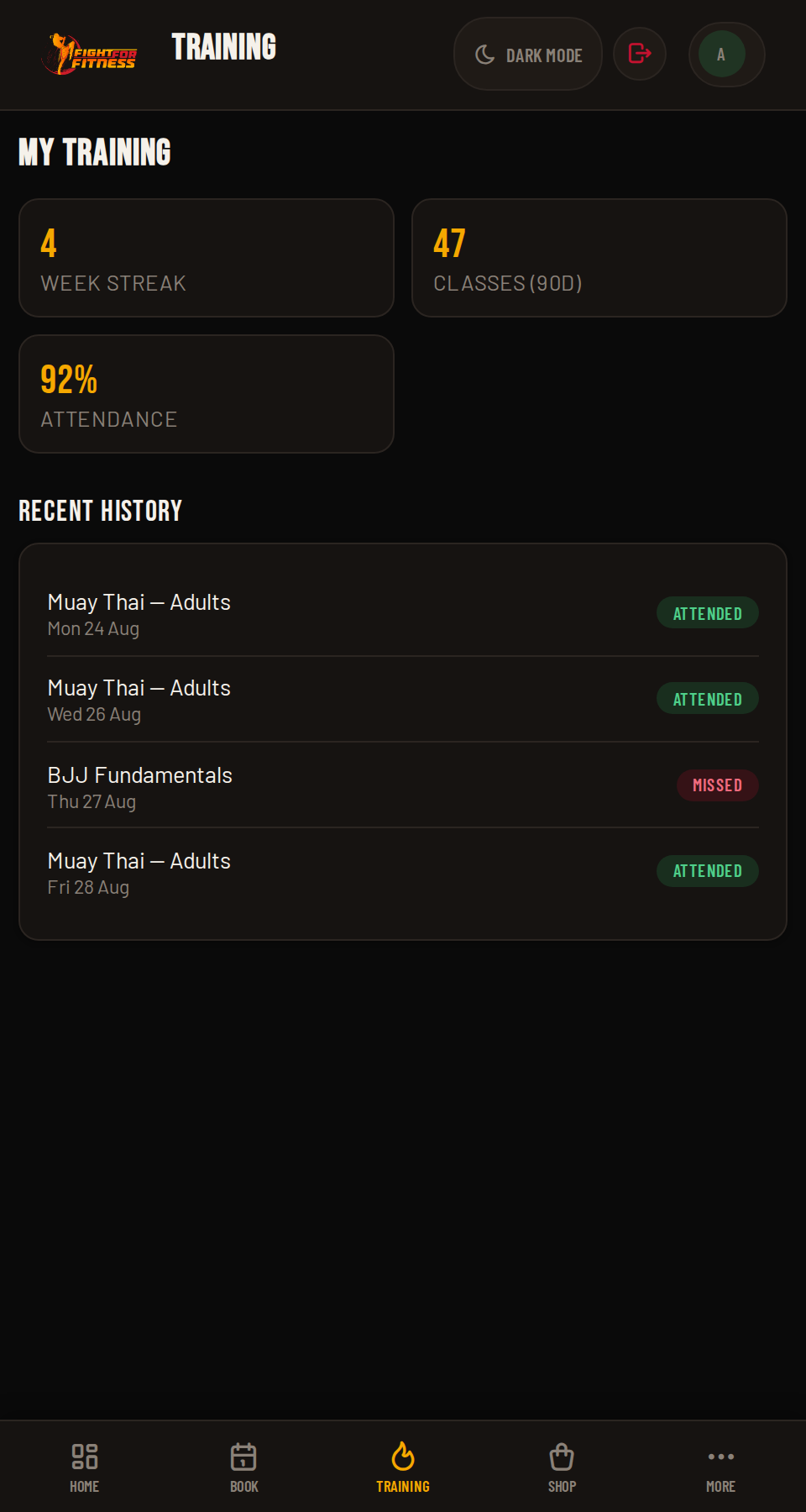
Head to My Training to see your attendance history and progress over time: a running record of how consistently you're showing up.

FightHub My Training page
Screenshot coming soonscreenshots/11-training.png
08

Personal Training (PT)

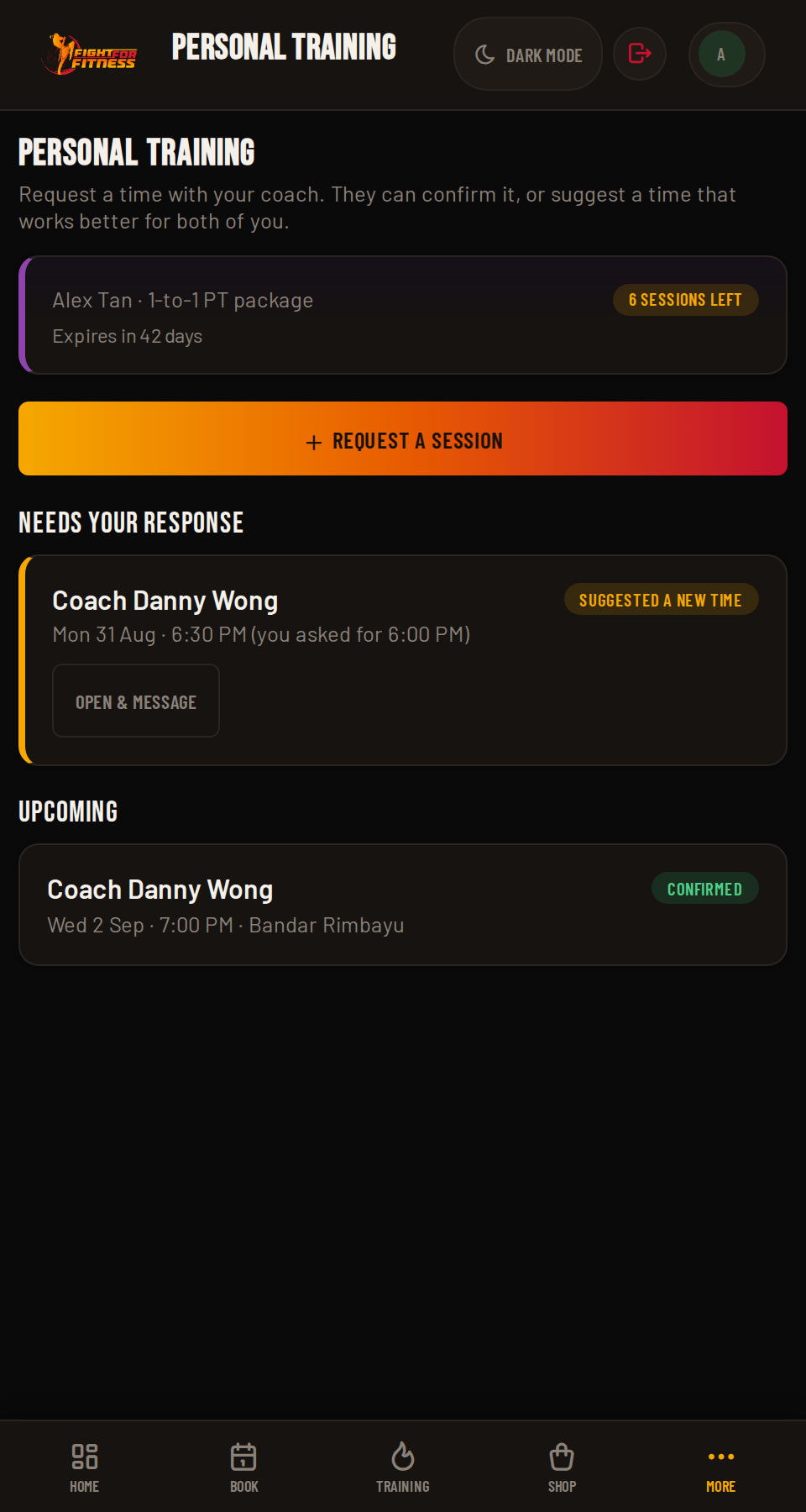
If your package includes Personal Training, a dedicated Personal Training tab appears in your nav. Tap Request a Session and pick a coach, date, and time, they can confirm it as-is or suggest a different time, and you go back and forth until you both agree. Message your coach right in the same thread once a request is open.

Personal Training only appears once you hold an active PT package. A confirmed session uses one of your remaining sessions, the same way a booked group class uses one of yours, and a 2-to-4 Pax session spends a credit from each person's own package.
FightHub Personal Training, sessions remaining and coach negotiation
Screenshot coming soonscreenshots/21-personal-training.png
09

Sparring Challenges

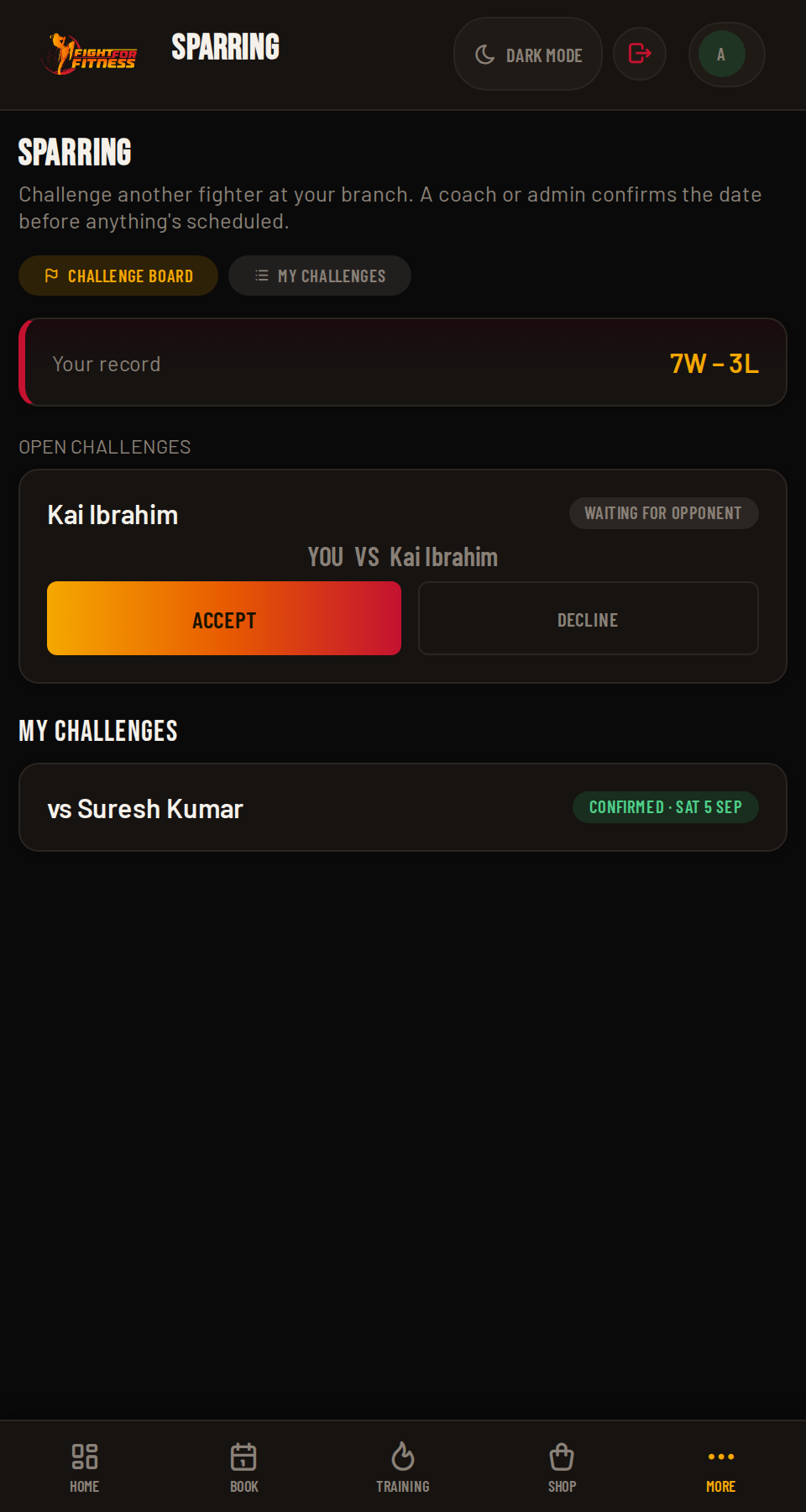
Fancy testing yourself against another fighter at your branch? Head to Sparring to challenge someone directly, or browse the Challenge Board for open challenges waiting for an opponent. Accept one and a coach or admin confirms the date before anything's scheduled.

Your win/loss record and match history live under My Challenges, so you can track how you're doing over time.
FightHub Sparring Challenge Board and record
Screenshot coming soonscreenshots/22-sparring.png
Pro Tip

Book early in the week. Popular evening classes fill up fast, and remember: if a class hits zero bookings 2 hours before start time, it auto-closes. Your booking literally keeps the class alive for everyone.

3
Level 3 of 6 ~2 min read

Level 3: Membership & Payments

Everything about what you've paid for, what's left, and how to top it up.

01

Checking the Price List

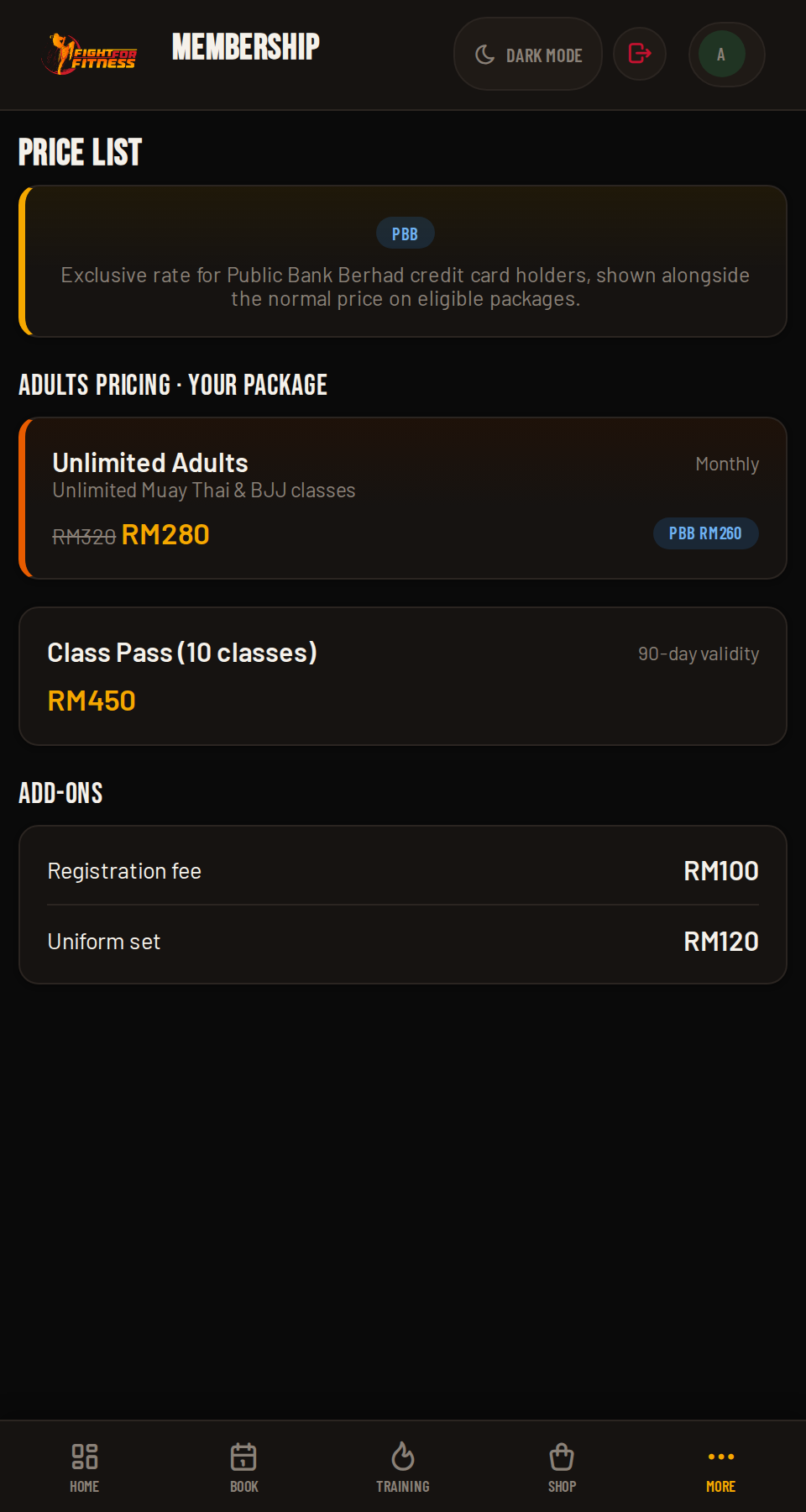
The Membership page lists every package for your branch: Kids or Adults, Unlimited or Class Pass, plus add-ons like registration and uniforms (and, at Ara Damansara, Fitness Classes). Full Terms & Conditions sit at the bottom if you want the fine print.

Got a Public Bank Berhad (PBB) credit card? Eligible packages carry an extra PBB rate on top of the promotional price, look for the blue PBB tag next to the price on the Membership page.
FightHub price list
Screenshot coming soonscreenshots/12-pricing.png
02

Making a Payment

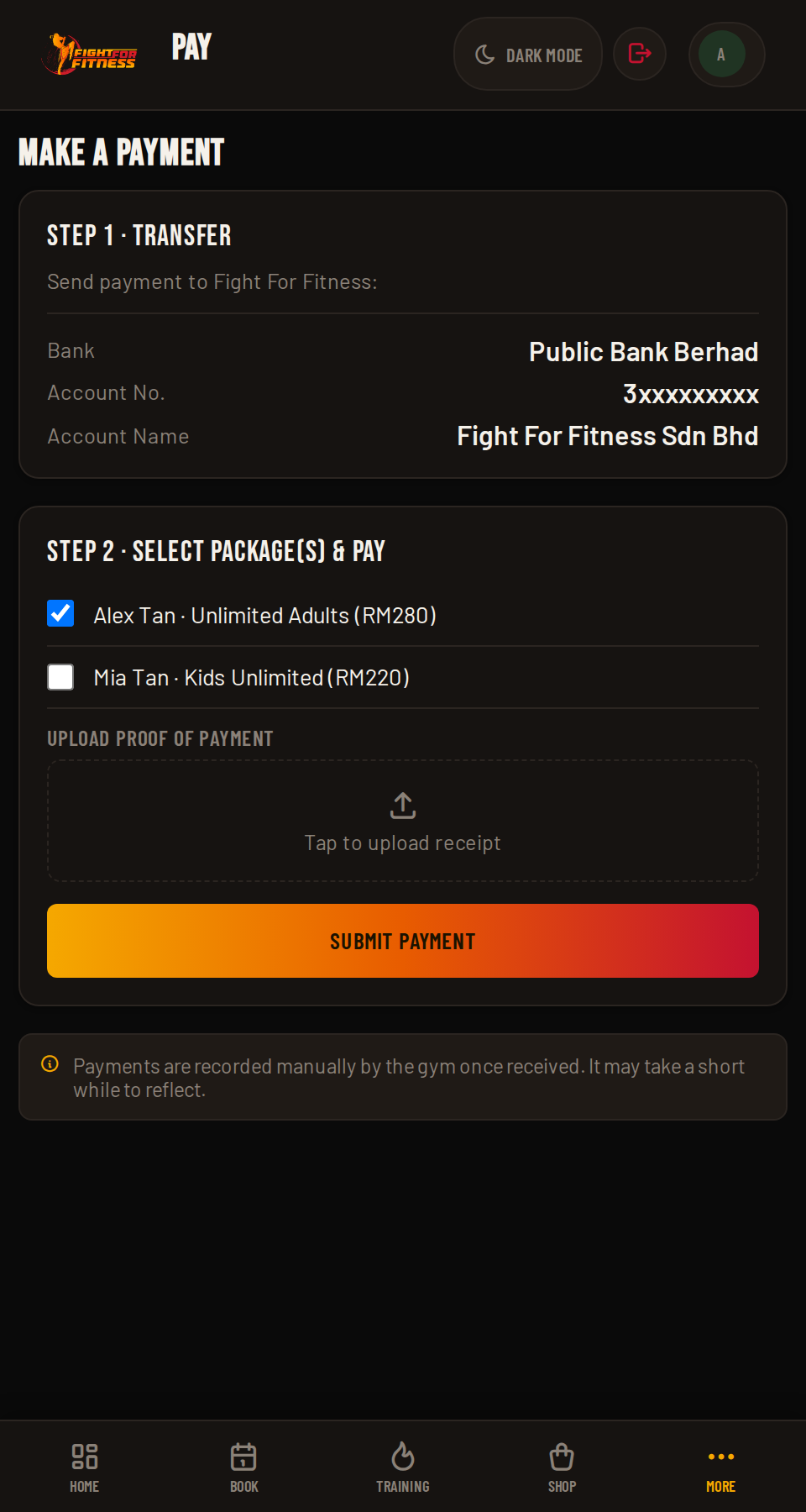
  1. Transfer: send payment to Fight For Fitness using the bank details shown.
  2. Select Package(s) and Pay: choose what the payment covers (yours, or each profile's, if you have more than one) and submit.
Payments are recorded manually by the gym once received. There's no instant online gateway, so it may take a short while to reflect.
FightHub payment flow
Screenshot coming soonscreenshots/13-payment.png
03

Payment History & Receipts

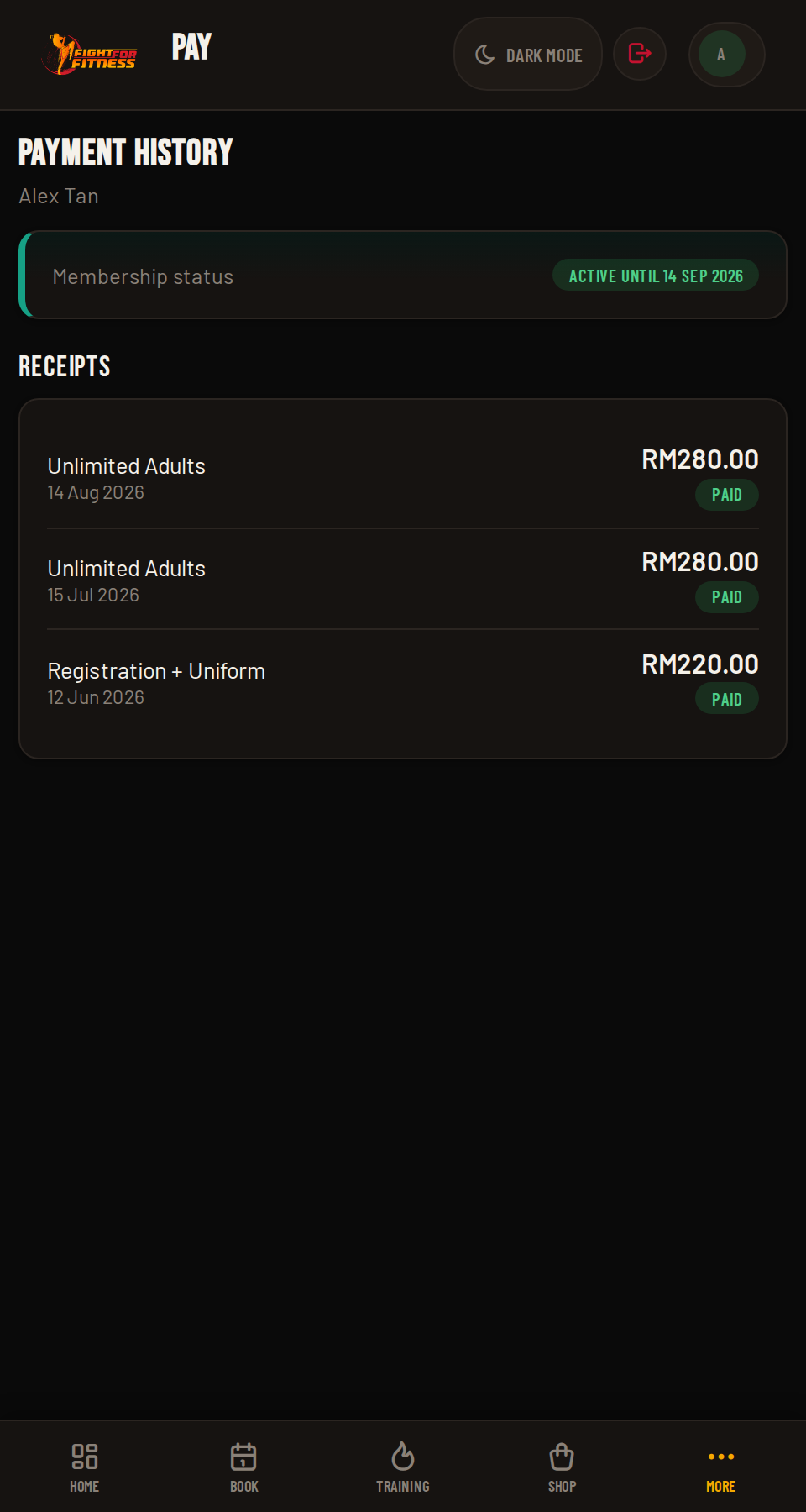
Your Payment History keeps a record of everything you've paid, with receipts you can pull up anytime. On your dashboard, membership status shows in gold when it's expiring soon and red when it's expired or you're out of classes, your cue to top up before your next booking.

FightHub payment history and receipts
Screenshot coming soonscreenshots/14-receipts.png
Pro Tip

Set a phone reminder 3 days before your membership expires. That gives you time to transfer payment and have the gym record it before your booking access shuts off.

4
Level 4 of 6 ~2 min read

Level 4: Shop

Gear, uniforms, and merch, ordered straight from the app.

01

Browsing the Shop

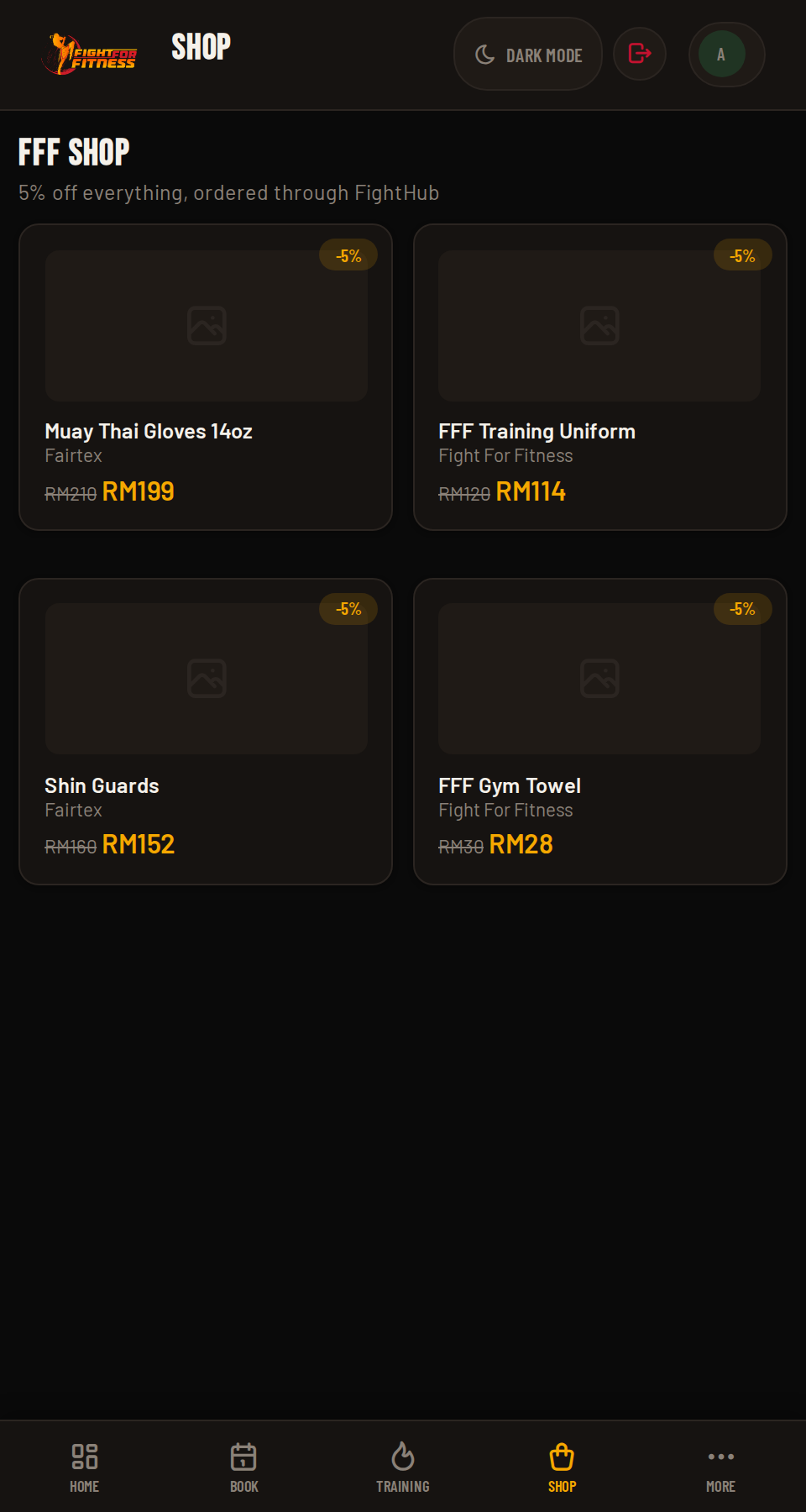
The FFF Shop has gloves, uniforms, and branded gear. Pick a size where needed and add it to your cart.

Every item in the FFF Shop is automatically 5% cheaper when you order it through FightHub instead of buying it at the counter, same gear, small discount for booking it through the app.
FightHub shop
Screenshot coming soonscreenshots/15-shop.png
02

Your Cart & Checkout

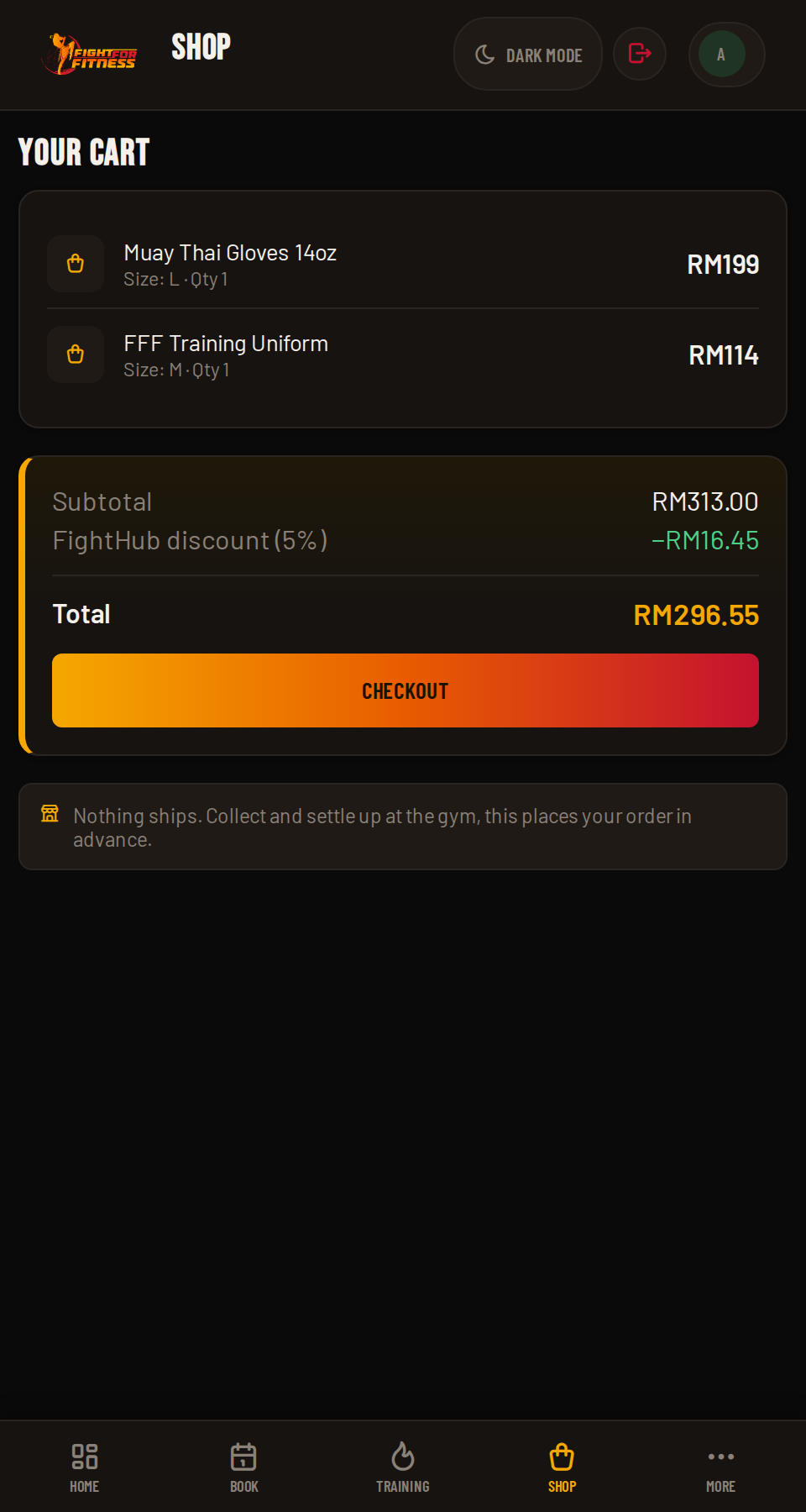
Review your cart, then check out. Nothing ships anywhere. You'll collect or settle up at the gym, so treat this as placing your order in advance.

FightHub cart and checkout
Screenshot coming soonscreenshots/16-cart.png
03

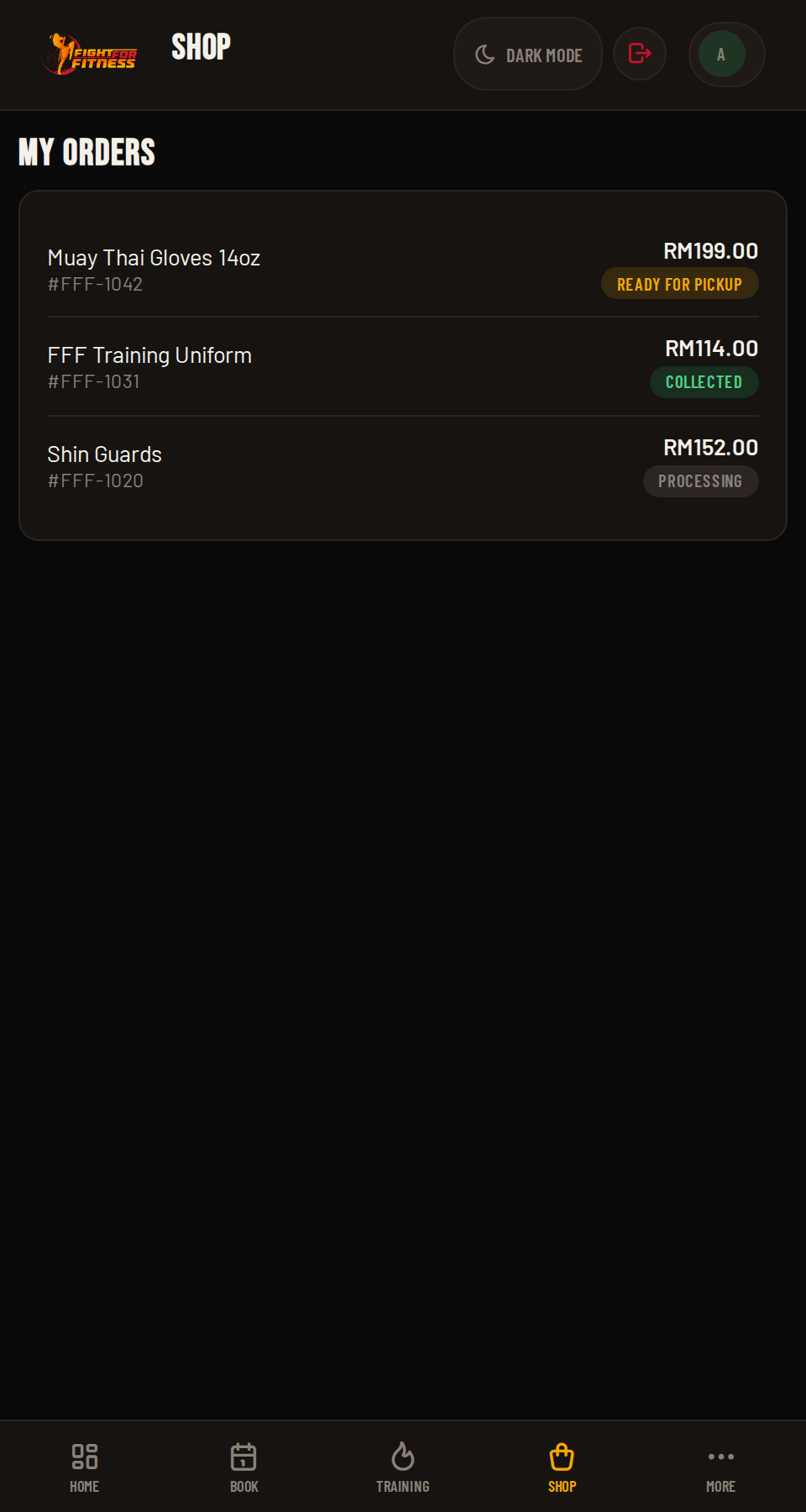
My Orders

Check My Orders anytime to see what you've bought and its status.

FightHub my orders
Screenshot coming soonscreenshots/17-orders.png
Did You Know?

The 5% FightHub discount applies to everything in the shop, including uniforms. If you're registering a whole family, ordering through the app instead of at the counter adds up.

5
Level 5 of 6 ~2 min read

Level 5: Account & Settings

The stuff you'll only touch occasionally, but good to know it's there.

01

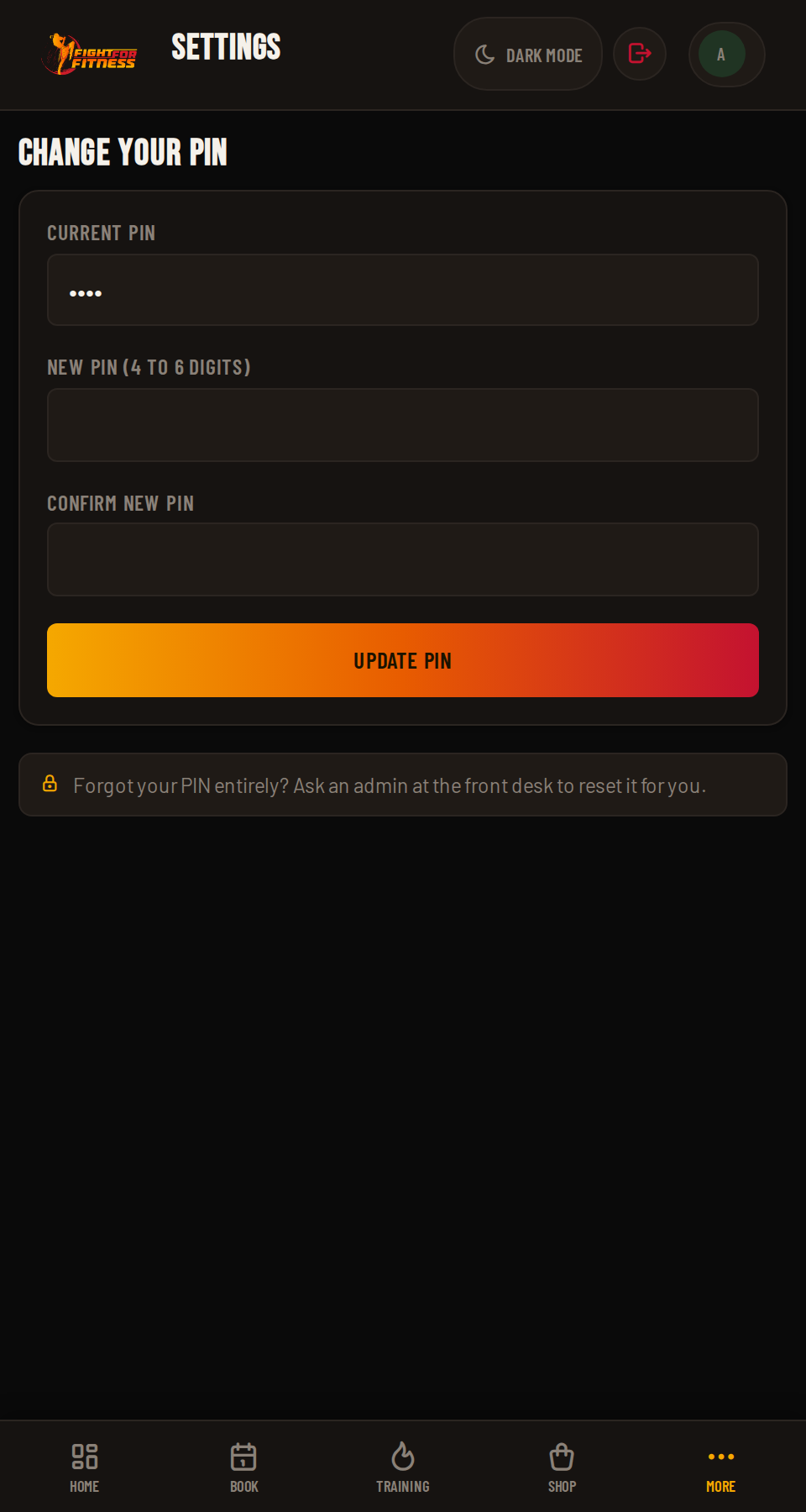
Changing Your PIN

Go to Settings → Change your PIN whenever you want a new one. Forgot it entirely? Ask an admin at the front desk to reset it for you.

FightHub change PIN screen
Screenshot coming soonscreenshots/18-pin.png
02

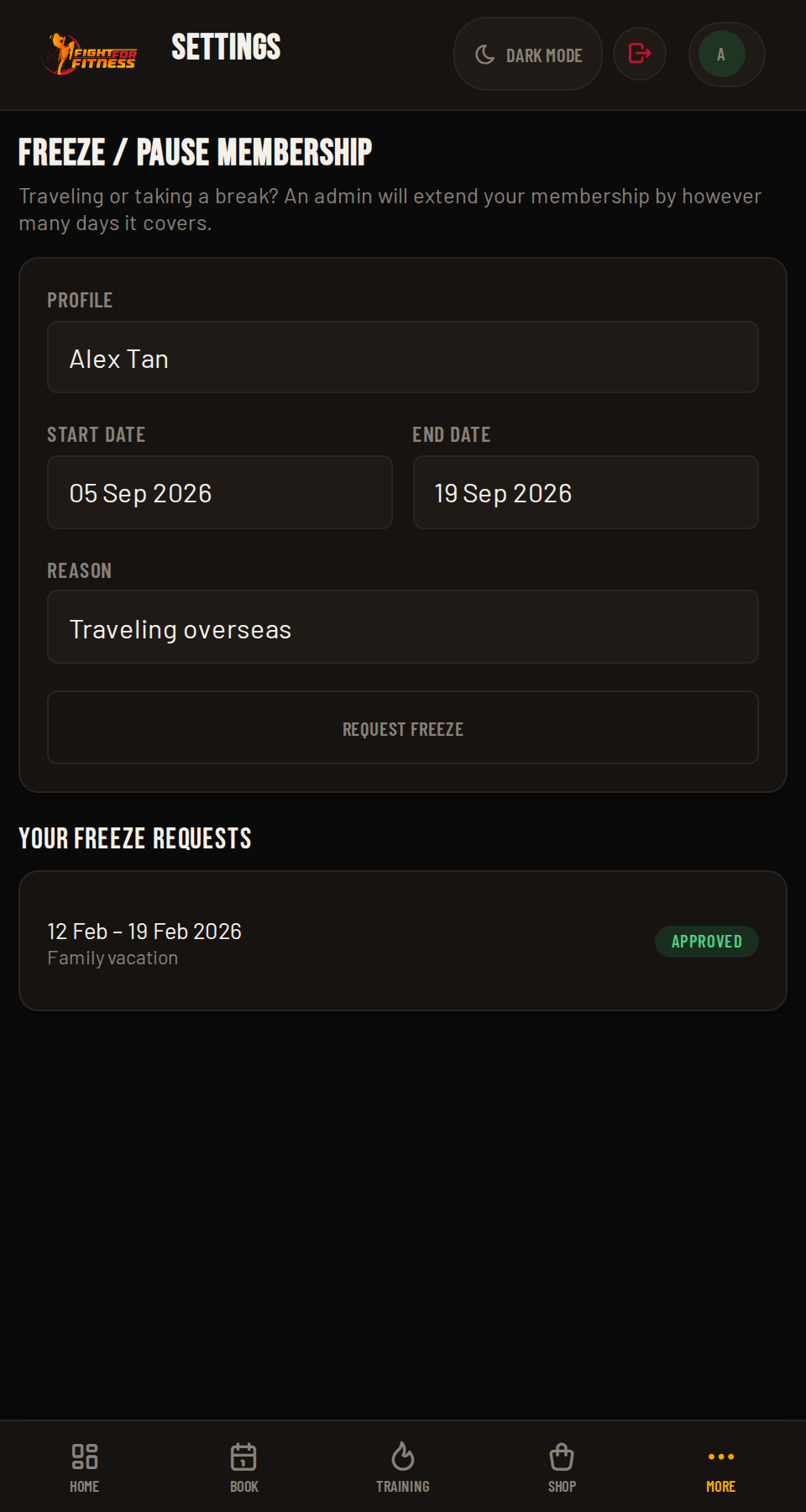
Freeze / Pause Your Membership

Heading away for a while? Settings also has Freeze / pause membership, so you're not burning through classes or your expiry date while you're gone.

FightHub freeze membership screen
Screenshot coming soonscreenshots/19-freeze.png
03

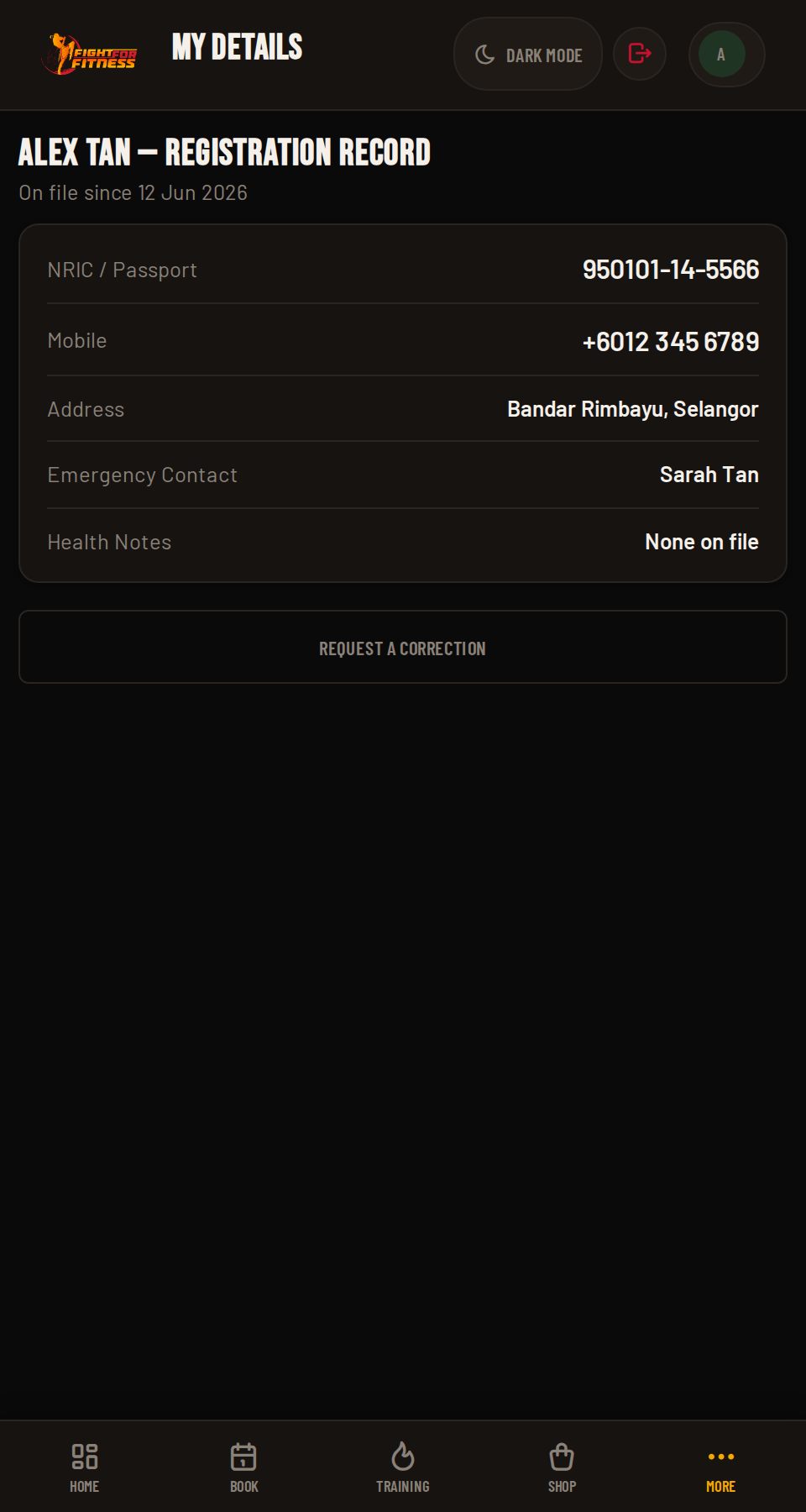
Updating My Details

Your Registration Record lives under My Details. If anything's changed (phone, emergency contact, a health note), use Request a Correction rather than editing it yourself; the gym reviews and applies the update.

FightHub My Details / registration record
Screenshot coming soonscreenshots/20-mydetails.png
04

Managing Family Profiles

All the profiles on your account (yours, plus any kids) live under one login. Each one has its own membership, attendance history, and classes remaining, even though you all log in with the same phone and PIN.

Pro Tip

Planning a holiday? Freeze your membership the week before you leave, not the day you fly. That way you don't accidentally burn a class or have your expiry tick down while you're packing.

6
Level 6 of 6 ~3 min read

Level 6: Good to Know

The answers you'll actually go looking for.

Ask any admin at the front desk. They can reset it for you in seconds.

Members are locked to whichever branch they were signed up at. If you've genuinely moved branches, ask the front desk to update it for you.

Booking closes 2 hours before a class starts, and closes early if the class fills up first. Both are normal, not a bug. If you missed the cutoff, try the "Request to attend" option on that class instead.

If a class still has zero bookings 2 hours before it's due to start, it closes itself automatically so the branch isn't running an empty class. It's the same 2-hour rule that closes bookings, just working in the other direction.

Not necessarily. If the class hasn't started yet and it wasn't auto-closed for having zero bookings, you'll see a "Request to attend" option. Add a quick reason and a coach can still slot you in if there's room.

It means booking is temporarily switched off on your account, usually a payment issue. You can still log in and see why. Sort it out with the front desk to get it lifted.

Red means your membership's expired or you're out of classes. Head to Membership to renew or top up before your next booking.

Each class shows a separate Book/Cancel button per profile, so you handle both from the same calendar screen. See Booking For Your Family in the Level 2 section.

No. FightHub doesn't have an automatic billing gateway. You transfer manually and the gym records it, so keep an eye on your expiry date.

FightHub automatically logs you out after 15 minutes of inactivity, for security. Just log back in with your phone and PIN.

You're automatically marked as attended once the class ends, unless a coach marks you absent. So if you genuinely can't make it, cancel your spot ahead of time rather than leaving it as a no-show.

Yes. Open the member site in your phone's browser, then choose "Add to Home Screen" (Safari) or "Install app" (Chrome). It launches full-screen from your home screen, no App Store download needed.

Yes, eligible packages on the Membership page carry an extra PBB rate on top of the promotional price. Look for the blue "PBB" tag next to the price.

Yes, every item is automatically 5% cheaper when ordered through FightHub instead of at the counter. Same gear, small discount for booking it through the app.

It's an attendance leaderboard that ranks members by how consistently they train. It shows on your Dashboard where the branch has it switched on, ask the front desk if you don't see it.